Everything in one place
Flash firmware without a browser, and every Meshtastic setting in plain words with the matching CLI command.
 ReCON
Connect a Meshtastic radio over USB, Bluetooth or WiFi; flash firmware; change any setting; chat; and when a message doesn't arrive, find out why.
Version 0.1.0, a test build (6 November 2026). Expect rough edges, and tell us what you find.
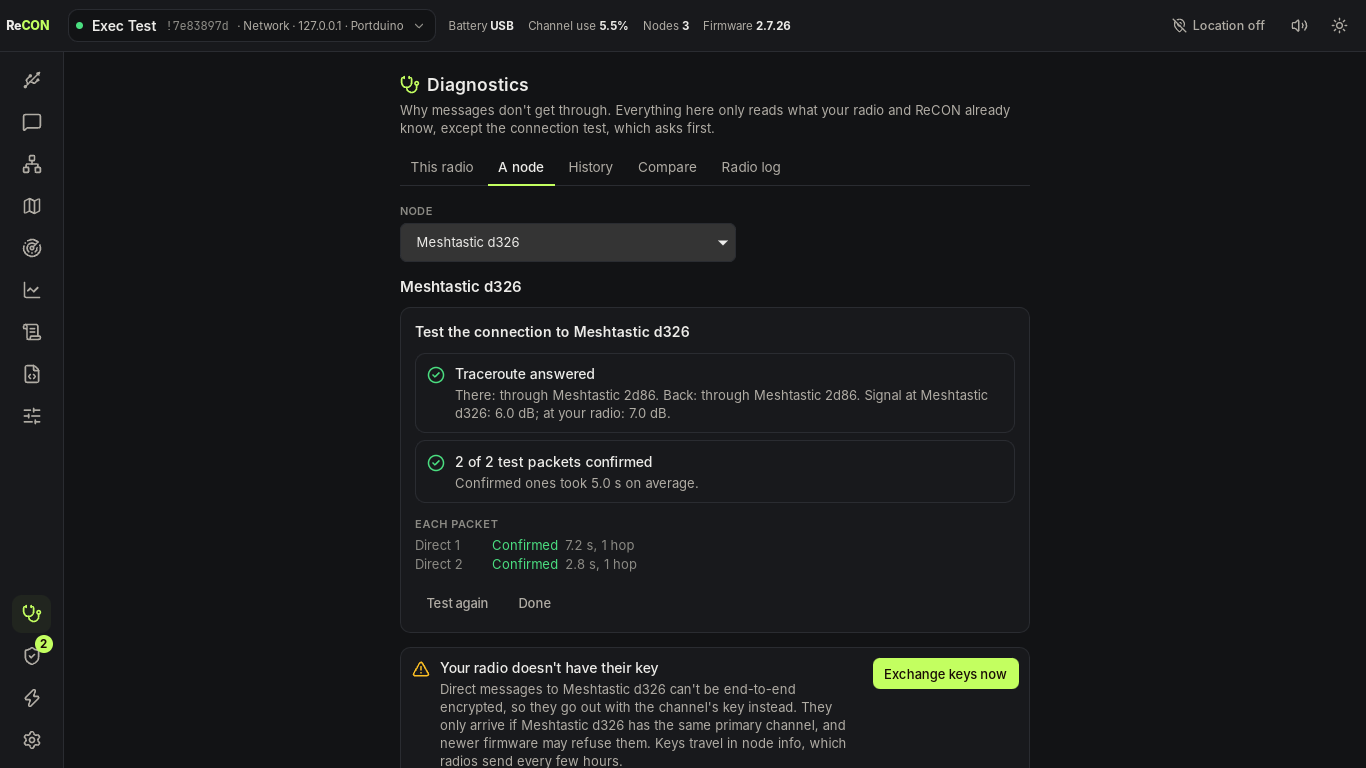
Flash firmware without a browser, and every Meshtastic setting in plain words with the matching CLI command.
Every message you send keeps what the radio and the mesh reported, and Diagnostics explains it: keys, routes, one-way links, relays.
Channels and direct messages with delivery ticks, signal and hops, a node list, an offline map, surveys and stats.
Automate with the meshtastic CLI's own commands, and run ReCON without a window on a Raspberry Pi.
ReCON_0.1.0_x64-setup.exe · 11 MB
Run the installer. It isn't signed yet, so Windows says Windows protected your PC: choose More info → Run anyway.
ReCON_0.1.0_amd64.deb · 16 MB
Double-click it, or sudo apt install ./ReCON_0.1.0_amd64.deb. Includes the rule that lets radios work without joining the dialout group.
ReCON_0.1.0_amd64.AppImage · 89 MB
Make it executable (chmod +x ReCON_0.1.0_amd64.AppImage) and run it. Then open App settings → Diagnostics → Install the rule so radios work.
64-bit PCs only for now. Raspberry Pi and macOS builds will come later.
Compare your file's fingerprint (SHA-256) with the list in SHA256SUMS:
# Linux, in the folder you downloaded to
sha256sum -c --ignore-missing SHA256SUMS
# Windows, in PowerShell
Get-FileHash .\ReCON_0.1.0_x64-setup.exe
92f68af5617d573e61496d5a3c6a9f6a7da4b48b9c97786aa7d4078ab571101a ReCON_0.1.0_amd64.AppImage044585e9f06b58eb86b9926a153a62efe081087c6c5862a1dea03ba377f5208f ReCON_0.1.0_amd64.deb4f3856810dc891b62b49ada15c5a3a026017d39879fc6dca9418bf81d8093fdd ReCON_0.1.0_x64-setup.exe